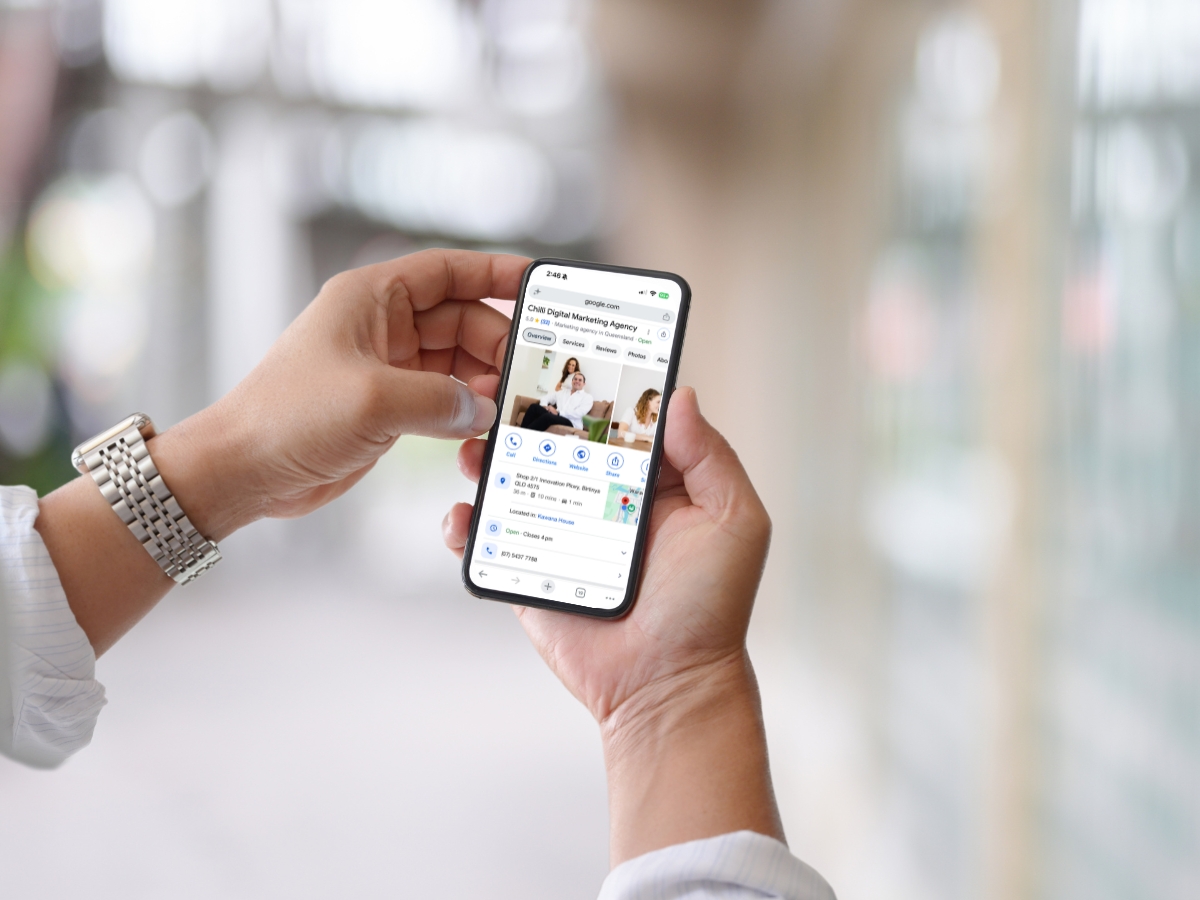
When someone on the Sunshine Coast searches for a plumber, a physio, a café or even a professional service provider, Google usually shows a map with a handful of local businesses before any website links. Those listings come from Google Business Profiles. For many local businesses, that means maintaining and consistently updating your profile will bring in more calls and visits than moving up a few places in the normal search results.
Your website still matters. But if your Google Business Profile is incomplete, out of date or missing reviews, you may be losing customers before they ever see your site. This guide explains why your Google Business Profile matters and how to optimise it.
What is a Google Business Profile?
A Google Business Profile is the free listing that shows your business on Google Search and Google Maps. It holds your business name, category, address or service area, opening hours, phone number, website link, photos, posts and reviews. Although Google updated the name from Google My Business, it remains the exact same platform.
Where your profile shows up
Your profile appears in three main places:
- The map results in Google Search, often called the local pack. For searches with local intent, such as “accountant Maroochydore” or “builder near me”, this map usually sits above the regular website results.
- Google Maps, when people search or browse the map directly.
- Your business panel, the larger listing that appears when someone searches for your business by typing your business name in directly.
In each of these places, people can call you, get directions, read reviews or visit your website without scrolling any further. For a lot of local searches, the decision is made right there.

Why your profile can matter more than your website ranking
It shows first. For local searches, the map results show on the search page before the website results. A business at the top of the map can win the customer before anyone reaches the first website link.
People act straight from it. Your phone number, directions, hours and reviews are all on the profile. Someone in need of a local service today does not always click through to a website first.
Google ranks it differently. The map results are ranked on different factors from the normal website results, and your profile has a direct effect on two of them. More on that below.
It is where your reviews live. Reviews are a big part of how people choose a local business. In a Reviews.org survey of 1,000 Australians, 86% said they read reviews before visiting a restaurant or business. Recency matters too: BrightLocal’s 2026 survey of US consumers found 74% look for reviews written in the last three months.
Does this mean your website doesn’t matter?
No. Your profile and your website do different jobs and work best together.
| Google Business Profile | Your website | |
|---|---|---|
| Where it shows | Map results, Google Maps and your business panel | The normal search results |
| What people do there | Call, get directions, read reviews | Look at your work, services and team |
| How it helps your ranking | Relevance and prominence in the map | Detail on what you do and where, plus links from other websites |
| Best for | Quick decisions from local searchers | Turning interest into enquiries |
Striking the right balance is essential. It is common for businesses to invest heavily in their website while neglecting their profile, despite the profile frequently being a local customer’s very first interaction with the brand.
How Google decides which businesses show in the map
Google’s own guidance gives three factors:
| Factor | What it means | What you can do |
|---|---|---|
| Relevance | How well your profile matches what someone searched for | Choose specific categories, list your services and write a clear description |
| Distance | How far your business is from the person searching | You cannot change it, so make sure your address or service area is accurate |
| Prominence | How well known your business is, including reviews, ratings and links from other websites | Ask for reviews, reply to every one and keep your profile active |
A complete, active profile (one that is updated and added to regularly) helps with relevance and prominence in a way your website alone cannot.
Google is also clear that there is no way to request or pay for a better local ranking. Google Ads can appear near the map, but they are separate from your profile’s position.
How to optimise your Google Business Profile
- Verify your business. Verification tells Google you are authorised to manage the profile, and it is the first tip in Google’s own guidance on local ranking.
- Choose the right categories. Your primary category tells Google what you do. Pick the most specific one that fits, then add secondary categories for other services. Add the individual services you offer too, so Google can match you to more searches from people actively looking for your expertise.
- Keep your details complete and accurate. Name, address or service area, phone, website and opening hours should match your website. Update your hours for public holidays and the Christmas break. Use exactly the same business name, address and phone number everywhere your business is listed online, consistency of information is the key here.
- Write a clear description. Say what you do, who you do it for and where, in plain language.
- Add real photos and videos. Show your premises, team and work. Google lists photos and videos as one of its tips for improving local ranking, and real images build trust faster than stock photos.
- Ask for reviews and reply to them. Send customers a direct link to leave a review. Reply to every review, good or bad. BrightLocal’s survey found 89% of consumers expect business owners to respond to reviews.
- Post regularly. Posts about offers, news, events and recent work keep your profile current and give people another reason to choose you.
Want a hand with it?
Everything in this guide is something you can do yourself, and even small changes to your profile can make a difference. But if you’d rather hand it over, or you’re not sure where to start, we can help.
We can set your profile up properly, keep it active with regular posts, and arrange fresh photos and video through our sister company, Pepper Productions.
If you’d like a second opinion on your profile, book a Discovery Session. It’s a relaxed chat about how your profile stands and what would make the biggest difference.
Frequently Asked Questions
Is a Google Business Profile free?
Yes. Google does not charge to create or manage a Business Profile.
Can I pay to rank higher on Google Maps?
No. Google says there is no way to request or pay for a better local ranking. Google Ads can appear alongside the map results, but they are separate from where your profile ranks.
Is Google My Business the same as Google Business Profile?
Yes. Google My Business was renamed Google Business Profile. It is the same free listing on Google Search and Maps.
Do I still need a website if I have a Google Business Profile?
Yes. Your profile links to your website, and your website gives customers and Google more detail about what you do. The two work best together.
How do reviews affect my Google Business Profile?
Google says more reviews and positive ratings can help your local ranking. Reviews also help people decide whether to contact you, so ask for them regularly and reply to every one.